Showing posts with label cherry. Show all posts
Showing posts with label cherry. Show all posts
Sunday, February 1, 2015
Cherry Mobile Thunder 2 0 Stock rom firmware to unbrick your phone
Hey,
For those who are looking for the Cherry Mobile Thunder 2.0 firmware or stock rom for your phone here it is.
For those who are looking for the Cherry Mobile Thunder 2.0 firmware or stock rom for your phone here it is.

Firmware Here -->Cherry Mobile Thunder
Part 2 -- > Firmware Part 2
Part 3 --> Firmware Part 3
VCOM Driver -->VCOM Manual
Alternative Driver --> AutoInstaller
Alternative Driver --> AutoInstaller
SPFlashTool --> LatestVersion
Use 7zip to extract the file
"Extract the files to your desired folder" See picture below"
"If you encounter error in flashtool, use different version of it."

Installing Driver
First try the Alternative Driver, which is the AutoInstaller. Just open the install.bat then it will automatically install the driver. Then proceed to flashing. If it did not work then proceed with VCOM driver that you had downloaded. Then install it manually follow the guide below.
Video Reference using Driver Auto Installer (watch in HD)
When installing it manually your phone must be turned off, then connect it to your computer/laptop while pressing VOLUME UP or VOLUME DOWN. This will detect and look for the driver.

1. This is the first time that you will connect your phone and it will search for the correct driver.

2. Check include this location ... ... and click on browse. Look for USB VCOM Driver and Click on 2K_XP_COM folder if you are using Windows XP or Win7 for Windows 7 and then press OK when you are done picking the right folder for the driver.

3. If the driver is successfully installed MediaTek DA USB VCOM will appear in the New Hardware Wizard.
Video Installing VCOM Driver (please watch in HD)
Video Flashing your phone (please watch in HD)
Flashing
1. Launch FlashTool
2. Click on Scatter-Loading, and load your scatter file. (see example below with loaded file in Flash Tool


Video Reference Using FlashTool version 5.xxx (watch in HD)
3. After you load the file, press F9 or Press Download to Flash your Phone.
4. If Download is not possible, you can press Firmware Upgrade.
5. After you press Download or Firmware Upgrade re-insert your battery and connect your Phone to the PC. Press Volume Down or Volume Up while connecting to PC.
"Hard reset your phone after flashing"
I hope this tutorial help you. Please drop a comment if something is not clear to you.

Cherry Mobile Sapphire 2 0 Stock ROM firmware to unbrick your phone
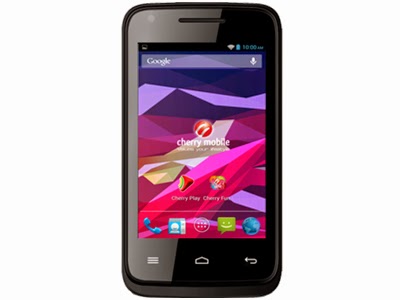
The much awaited firmware for Cherry Mobile Sapphire 2.0 is here. You can now fix your bootlooped or softbricked phones. Thank you for those who shared this firmware. To check if your sapphire is version 2, check it at the back of your phone, near IMEI section.
Read more »
If you do not have the driver. I also provide the driver. Or you can go to my Tools section and find MTK SPD Driver.
TOOLS
ResearchDownload --> DOWNLOAD HERE
Firmware --> Download HERE
Driver -- > DOWNLOAD HERE
DOWNLOAD THE FILES, AND EXTRACT. INSTALL DRIVER.
To install the driver
1. To fully flash your phone
2. To remove password, pattern lock, and gmail account.
TO remove password, pattern lock and gmail account.
1. Open Researchdownload
2. Load packet and look for file(first button)
3. Check only the following
✓FDL1✓FDL2✓UserData
4. Click in calibration/backup page, and UNCHECK ALL and press OK
5. And lastly press the Play button to continue flashing.
TO fully flash your phone.
1. Open Researchdownload
2. Load packet and look for file(first button)
3. Remove check in the following selection
✓EraseRuntimeNV
✓PHASE_CHECK
✓EraseCache
✓EraseData
✓EraseMisc
4. Click in Calibration/BACK UP page, and UNCHECK ALL and press OK
5. Press Play button
6. Press and Hold VOLUME UP and VOLUME DOWN and insert USB cable. (your phone must be turned off)
7. Repeat number 6 if your phone is not detected by researchdownload.
8. If detected by research download just wait until the flashing is done and it should reboot your phone automatically.
I hope this tutorial help you recover your phone :)
For 32bit WINDOWS OS only.
TOOLS
ResearchDownload --> DOWNLOAD HERE
Firmware --> Download HERE
Driver -- > DOWNLOAD HERE
DOWNLOAD THE FILES, AND EXTRACT. INSTALL DRIVER.
To install the driver
- Extract SPD SCI-android-usb-driver.zip anywhere you want
- Open SPD SCI-android-usb-driver
- Open x86 folder
- Open DPInst.exe this will install the driver.
1. To fully flash your phone
2. To remove password, pattern lock, and gmail account.
TO remove password, pattern lock and gmail account.
1. Open Researchdownload
2. Load packet and look for file(first button)
3. Check only the following
✓FDL1✓FDL2✓UserData
4. Click in calibration/backup page, and UNCHECK ALL and press OK
5. And lastly press the Play button to continue flashing.
TO fully flash your phone.
1. Open Researchdownload
2. Load packet and look for file(first button)
3. Remove check in the following selection
✓EraseRuntimeNV
✓PHASE_CHECK
✓EraseCache
✓EraseData
✓EraseMisc
4. Click in Calibration/BACK UP page, and UNCHECK ALL and press OK
5. Press Play button
6. Press and Hold VOLUME UP and VOLUME DOWN and insert USB cable. (your phone must be turned off)
7. Repeat number 6 if your phone is not detected by researchdownload.
8. If detected by research download just wait until the flashing is done and it should reboot your phone automatically.
I hope this tutorial help you recover your phone :)
Thursday, January 29, 2015
Cherry Mobile Spark TV Flashing TMPA Remove Pattern Lock
Before you proceed flashing / hard resetting your phone / tablet make sure to back up your important files if possible. Because we care about your data.
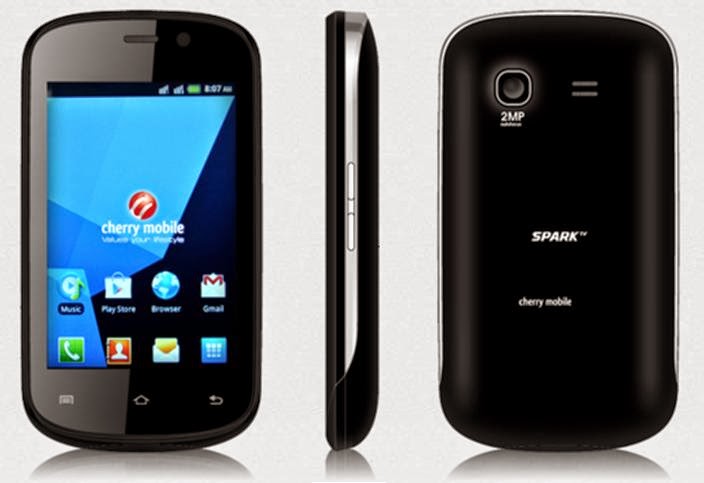
This Tutorial is for your Cherry Mobile Spark TV version 1 only, I REPEAT VERSION 1 ONLY, I REPEAT VERSION 1 ONLY. Do not attempt to flash your Cherry Mobile Version 2, your phone might turn unusable or you capacitive buttons will not work.
First you will need to download several files.
Here is the first one. This file contains the PAC file and the flasher (research download)
Download Here for PAC file and the flasher
And Here is the last one (USB Driver)
Download Here for the DRIVER, just click ME
Both files are very important, if you dont have the PAC file and the flasher you cannot flash the phone. Same as with the DRIVER, if you dont have the driver research download(flasher) cannot the detect it for you. So download both and lets proceed.
Things need to consider when flashing.
1. You should have an extra battery, or if you can charge your battery thru your phone then charge it atleast 50%.
2. Double check your Micro USB Cable.
Lets proceed to flashing. Check the pictures for procedure
Click on Load Packet, you can see in the picture that it is the first button.

Then in the "Main Page", UNCHECK that is shown in the picture
 This one is in "Calibration" section, UNCHECK all.

then press "OK"
Proceed pressing the "Play" button, then connect your to your PC. This should detect the phone and continue Flashing. If it is not detecting the phone, it means the driver is not properly installed.
Just wait for it to finish and VOILA your phone is back on its original state.
If your problem is you forgot your google account and your forgot it, this is also known as TMPA. You can also flash it via research download, ive tried it on VERSION 1 of SPARK TV. VERSION 1 Only OK.
Check the picture on the second picture of flashing. Check only the following
✓FDL1
✓FDL2
✓UserData
and then uncheck all in "Calibration" page. Press ok then lastly press on the Play button. Just wait for it to finish.
I hope this tutorial helps. ^_^
Read more »
We also suggest that your battery should be atleast 50% or better to have it fully charge, lower than the said value may cause unwanted result, such as bricking your phone / tablet rendering it unuseable. This is very important in flashing your phone / tablet. Use original USB cable as possible.
Files that you downloaded should not be corrupted, if ever the file is corrupted you might brick your phone. Or the flashing will start.
Drivers are very important specially in Spreadtrum Chipset, having an Spreadtrum SPD6610 (non android devices) driver will not work in SPD6820 (android devices).
If you are using laptop to flash your phone, make your that it has enough charge. If your laptop shutdown when your flashing your phone/tablet, youll end up bricking your phone. Sometimes you can still recover your phone just flash it again and your phone will boot up again. But that is just a case to case basis, if your phone / tablet is deadboot (totally dead, erased all program in the chip) you cant recover it, you will need to seek professional help (technician).
This Tutorial is for your Cherry Mobile Spark TV version 1 only, I REPEAT VERSION 1 ONLY, I REPEAT VERSION 1 ONLY. Do not attempt to flash your Cherry Mobile Version 2, your phone might turn unusable or you capacitive buttons will not work.
First you will need to download several files.
Here is the first one. This file contains the PAC file and the flasher (research download)
Download Here for PAC file and the flasher
And Here is the last one (USB Driver)
Download Here for the DRIVER, just click ME
Both files are very important, if you dont have the PAC file and the flasher you cannot flash the phone. Same as with the DRIVER, if you dont have the driver research download(flasher) cannot the detect it for you. So download both and lets proceed.
Things need to consider when flashing.
1. You should have an extra battery, or if you can charge your battery thru your phone then charge it atleast 50%.
2. Double check your Micro USB Cable.
Lets proceed to flashing. Check the pictures for procedure
Click on Load Packet, you can see in the picture that it is the first button.
Then in the "Main Page", UNCHECK that is shown in the picture
then press "OK"
Proceed pressing the "Play" button, then connect your to your PC. This should detect the phone and continue Flashing. If it is not detecting the phone, it means the driver is not properly installed.
Just wait for it to finish and VOILA your phone is back on its original state.
If your problem is you forgot your google account and your forgot it, this is also known as TMPA. You can also flash it via research download, ive tried it on VERSION 1 of SPARK TV. VERSION 1 Only OK.
Check the picture on the second picture of flashing. Check only the following
✓FDL1
✓FDL2
✓UserData
and then uncheck all in "Calibration" page. Press ok then lastly press on the Play button. Just wait for it to finish.
I hope this tutorial helps. ^_^
Tuesday, January 27, 2015
Hard Reset your Cherry Mobile SPIN and remove password pattern lock gmail account
Cherry Mobile Spin Hard reset tutorial. I dont have much to say. :D This phone is like a HTC M8 clone :) Check out the tutorial below.

Hard resetting / factory resetting your phone will solve the following issues:
1. If you forgot your pattern lock
2. If you forgot your gmail account
3. If you forgot your password
4. Apps that automatically force closing
5. Stuck in Cherry Mobile Logo (sometimes does not work if the firmware is totally damage)
NOTE: Performing hard reset will erase your data.
To hard reset:
1. Turn off your phone.
2. Press and Hold VOLUME UP + Power button. Keep pressing and holding until the phone power up and until you a boot menu to appear.
3. Select Recovery Mode, To navigate press VOLUME UP to confirm your selection Press VOLUME DOWN.
4.Press Power Button to activate Android System Recovery.
5. Select wipe / factory reset, press Volume rocker to navigate and press VOLUME UP to confirm your selection
6. Reboot your phone.
Note:
If performing hard reset did not succeed, you need to wipe the cache first in the android system recovery before performing wipe / factory reset.
I hope this tutorial helps you.. If you have any question just drop a
comment.
Read more »
Hard resetting / factory resetting your phone will solve the following issues:
1. If you forgot your pattern lock
2. If you forgot your gmail account
3. If you forgot your password
4. Apps that automatically force closing
5. Stuck in Cherry Mobile Logo (sometimes does not work if the firmware is totally damage)
NOTE: Performing hard reset will erase your data.
To hard reset:
1. Turn off your phone.
2. Press and Hold VOLUME UP + Power button. Keep pressing and holding until the phone power up and until you a boot menu to appear.
3. Select Recovery Mode, To navigate press VOLUME UP to confirm your selection Press VOLUME DOWN.
4.Press Power Button to activate Android System Recovery.
5. Select wipe / factory reset, press Volume rocker to navigate and press VOLUME UP to confirm your selection
6. Reboot your phone.
Note:
If performing hard reset did not succeed, you need to wipe the cache first in the android system recovery before performing wipe / factory reset.
I hope this tutorial helps you.. If you have any question just drop a
comment.
Subscribe to:
Posts (Atom)