Showing posts with label hard. Show all posts
Showing posts with label hard. Show all posts
Wednesday, February 4, 2015
Hard Reset your Lenovo A60 and remove password pattern lock gmail account
Lenovo phones are a bit rare in my area, but this Lenovo A60+ came by with gmail account lock up. Ill be providing a tutorial to hard reset your Lenovo A60+ this will be an easy one :D

Hard resetting / factory resetting your phone will solve the following issues:
1. If you forgot your pattern lock
2. If you forgot your gmail account
3. If you forgot your password
4. Apps that automatically force closing
5. Stuck in Lenovo Logo (sometimes does not work if the firmware is totally damage)
NOTE: Performing hard reset will erase your data.
To hard reset:
1. Turn off your phone.
2. Press and Hold VOLUME UP + Power button. Keep pressing the button until an Android robot appear in you screen. Press HOME capacitive key to activate Android System Recovery
3. Android System Recovery will appear.
4. Select wipe / factory reset, press Volume rocker to navigate and press the MENU Key (left capacitive key) to confirm your selection
5. Reboot your phone.
Note:
If performing hard reset did not succeed, you need to wipe the cache first in the android system recovery before performing wipe / factory reset.
I hope this tutorial helps you.. If you have any question just drop a
comment.
Read more »
Hard resetting / factory resetting your phone will solve the following issues:
1. If you forgot your pattern lock
2. If you forgot your gmail account
3. If you forgot your password
4. Apps that automatically force closing
5. Stuck in Lenovo Logo (sometimes does not work if the firmware is totally damage)
NOTE: Performing hard reset will erase your data.
To hard reset:
1. Turn off your phone.
2. Press and Hold VOLUME UP + Power button. Keep pressing the button until an Android robot appear in you screen. Press HOME capacitive key to activate Android System Recovery
3. Android System Recovery will appear.
4. Select wipe / factory reset, press Volume rocker to navigate and press the MENU Key (left capacitive key) to confirm your selection
5. Reboot your phone.
Note:
If performing hard reset did not succeed, you need to wipe the cache first in the android system recovery before performing wipe / factory reset.
I hope this tutorial helps you.. If you have any question just drop a
comment.

Tuesday, February 3, 2015
Karbonn A15 Hard Reset Remove Pattern Lock Reset Force Close
Before you proceed flashing / hard resetting your phone / tablet make sure to back up your important files if possible. Because we care about your data.
In this tutorial I will gonna teach you how to hard reset your Karbonn A15. This can fix the following issues that you are experiencing in your phone:

Read more »
We also suggest that your battery should be atleast 50% or better to have it fully charge, lower than the said value may cause unwanted result, such as bricking your phone / tablet rendering it unuseable. This is very important in flashing your phone / tablet. Use original USB cable as possible.
Files that you downloaded should not be corrupted, if ever the file is corrupted you might brick your phone. Or the flashing will start.
Drivers are very important specially in Spreadtrum Chipset, having an Spreadtrum SPD6610 (non android devices) driver will not work in SPD6820 (android devices).
If you are using laptop to flash your phone, make your that it has enough charge. If your laptop shutdown when your flashing your phone/tablet, youll end up bricking your phone. Sometimes you can still recover your phone just flash it again and your phone will boot up again. But that is just a case to case basis, if your phone / tablet is deadboot (totally dead, erased all program in the chip) you cant recover it, you will need to seek professional help (technician).
In this tutorial I will gonna teach you how to hard reset your Karbonn A15. This can fix the following issues that you are experiencing in your phone:
1. Force Close Apps
2. If you forgot your Google Account
3. Hang in Logo
Ok lets do it. Just follow the procedure
1. Press and Hold Volume Up and Power Button simultaneously.
2. Wait until 5 seconds
3. Android Recovery Mode will appear
4. Wipe Factory Data
5. Then Reboot
Thats it. Your phone will be back in its original state.
I hope this tutorial help you with your problem.
If you have any tutorial or problems in your mobile phone I will be glad to help.
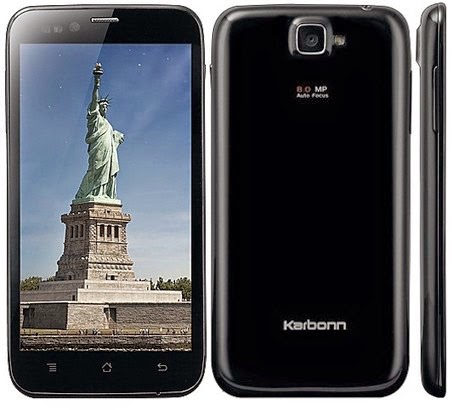
Karbonn S5 Titanium Hard Reset Google Account Remove Pattern Lock Force Close
Before you proceed flashing / hard resetting your phone / tablet make sure to back up your important files if possible. Because we care about your data.
In this tutorial I will gonna teach you how to hard reset your Karbonn S5 Titanium. This can fix the following issues that you are experiencing in your phone:
Read more »
We also suggest that your battery should be atleast 50% or better to have it fully charge, lower than the said value may cause unwanted result, such as bricking your phone / tablet rendering it unuseable. This is very important in flashing your phone / tablet. Use original USB cable as possible.
Files that you downloaded should not be corrupted, if ever the file is corrupted you might brick your phone. Or the flashing will start.
Drivers are very important specially in Spreadtrum Chipset, having an Spreadtrum SPD6610 (non android devices) driver will not work in SPD6820 (android devices).
If you are using laptop to flash your phone, make your that it has enough charge. If your laptop shutdown when your flashing your phone/tablet, youll end up bricking your phone. Sometimes you can still recover your phone just flash it again and your phone will boot up again. But that is just a case to case basis, if your phone / tablet is deadboot (totally dead, erased all program in the chip) you cant recover it, you will need to seek professional help (technician).
In this tutorial I will gonna teach you how to hard reset your Karbonn S5 Titanium. This can fix the following issues that you are experiencing in your phone:
1. Force Close Apps
2. If you forgot your Google Account
3. Hang in Logo
Ok lets do it. Just follow the procedure
1. Press and hold VOLUME UP + POWER KEY
2. now you see green screen dont release volume up and power key yet
3. after 10 seconds you see red screen, now release Volume up and power key
4. now you see recovery options.
5. select wipe data with factory reset and press power key for 2 sec.
6. now select yes -- delete all user data and press power key for 2 second.
7. now reboot device.
****Note: Sometimes you must press the power button first. Before pressing the other combination button.
1. Press and hold VOLUME UP + POWER KEY
2. now you see green screen dont release volume up and power key yet
3. after 10 seconds you see red screen, now release Volume up and power key
4. now you see recovery options.
5. select wipe data with factory reset and press power key for 2 sec.
6. now select yes -- delete all user data and press power key for 2 second.
7. now reboot device.
****Note: Sometimes you must press the power button first. Before pressing the other combination button.
Thats it. Your phone will be back in its original state.
I hope this tutorial help you with your problem.
If you have any tutorial or problems in your mobile phone I will be glad to help.
Hard Reset Samsung Galaxy Ace S5830
How To Hard Reset Samsung Galaxy Ace S5830 Smartphone
What is Hard Reset ?
A hard reset is also called Factory reset. When you restore your Android device to state when it left the factory or first time the Smartphones or Tablets turns on . Hard Reset erase all user setting,contents (i.e games,contacts,messages,apps preference setting ,bookmarks,third party apps as well .) So if youre enough lucky then you can make backup of all your data before hard reset .In most cases user data lost. Different Android Devices have different method for Hard Reset.
When Hard Reset is Necessary for Smartphones or Tablets ?
1. Fatal errors,Frozen,Forgotten Pattern Lock on Android Tablets or Smartphones.
2.Too many pattern attempts / Reset user lock.
3. Tablets PC,Smartphones stuck on Gmail account.
4. Android Tablet PC or Smartphones stuck on Android logo.
5. Tablet Android or Smartphones hang on start-up / Multiple errors generating by OS.
6. Android market having problems or generating errors.
7.Upgrading to new Android version.
6. Android market having problems or generating errors.
7.Upgrading to new Android version.
Make sure to charge battery upto 60%.
How to Soft Reset Samsung Galaxy Ace S5830 Smartphone.
Soft reset is good when your Android device is working slowly . Soft Reset shut down all running smartphone app,system files,programs. All unsaved work should be lost .
To perform soft reset , remove the back cover of htc smartphone aria , pull out battery for 15 sec .turn on htc smartphone .
How to Hard Reset Samsung Galaxy Ace S5830 Smartphone.
How to Hard Reset Samsung Galaxy Ace S5830 Smartphone.
 |
| Hard reset Samsung Galaxy Ace S5830 |
- Turn off your Samsung Galaxy Ace S5830 smartphone.
- Press and hold Home button.
- Press Power button .
- When Screen turns blue with instructions.
- Leave the all the buttons.
- Use volume - (Down) button to select the "Wipe data /Factory Reset" or clear storage.
- Confirm Using Power button (Power button = Enter )
- Select "Yes -- delete all user data "
- Allow some time to factory data reset.
you are good to go.
AT&T Pure HTC Smartphones hard reset
AT&T Surround HTC Smartphone hard reset.
Verizon Thunderbolt HTC Smartphone hard reset
M4 HTC Smartphone Hard Reset
HTC One Mini smartphone Hard Reset.
Acer S120 Liquid Metal Hard Reset.
You may also like to read hard reset method for other smartphones.
AT&T Pure HTC Smartphones hard reset
AT&T Surround HTC Smartphone hard reset.
Verizon Thunderbolt HTC Smartphone hard reset
M4 HTC Smartphone Hard Reset
HTC One Mini smartphone Hard Reset.
Acer S120 Liquid Metal Hard Reset.
Saturday, January 31, 2015
Arc Mobile Prime 350 350D Hard Reset Hang Google Account Removal Pattern Lock
Before you proceed flashing / hard resetting your phone / tablet make sure to back up your important files if possible. Because we care about your data.
We also suggest that your battery should be atleast 50% or better to have it fully charge, lower than the said value may cause unwanted result, such as bricking your phone / tablet rendering it unuseable. This is very important in flashing your phone / tablet. Use original USB cable as possible.
Files that you downloaded should not be corrupted, if ever the file is corrupted you might brick your phone. Or the flashing will start.
Drivers are very important specially in Spreadtrum Chipset, having an Spreadtrum SPD6610 (non android devices) driver will not work in SPD6820 (android devices).
If you are using laptop to flash your phone, make your that it has enough charge. If your laptop shutdown when your flashing your phone/tablet, youll end up bricking your phone. Sometimes you can still recover your phone just flash it again and your phone will boot up again. But that is just a case to case basis, if your phone / tablet is deadboot (totally dead, erased all program in the chip) you cant recover it, you will need to seek professional help (technician).
In this tutorial I will gonna teach you how to hard reset your Arc Mobile Prime 350/350D Hard Reset. This can fix the following issues that you are experiencing in your phone:
1. Force Close Apps
2. If you forgot your Google Account
3. Hang in Logo (sometimes
4. Pattern Lock

Ok lets do it. Just follow the procedure
- Press and hold volume DOWN and Power Button (You must press the power button first for 2 seconds then immediately press the volume DOWN)
- Android System Recovery will appear
- Navigate to wipe data/factory reset (to navigate press volume DOWN, to select press Volume UP)
- Select Yes – delete all user data (to navigate press volume DOWN, to select press Volume UP)
- Reboot your phone
Thats it your phone is back in its original state.
Hard Reset Verizon Thunderbolt htc smartphone
How to Hard Reset Verizon Thunderbolt HTC Smartphone
What is Hard Reset ?
A hard reset is the factory reset is when you restore your device to state when it left the factory or first time the Smartphone or Tablets get started . Hard Reset erase all user setting,contents (i.e games,contacts,messages,Smartphones app preference setting ,bookmarks,third party apps as well .) So if youre enough lucky then you can make backup of all your data before hard reset .Different Android Devices have different method of Hard Reset.
When Hard Reset is Necessary for Smartphones or Tablets ?
1. Forgotten Pattern Lock on Android Tablets or Smartphones.
2.Too many pattern attempts / Reset user lock.
3. Tablets PC,Smartphones stuck on Gmail account.
4. Android Tablet PC stuck on Android logo.
5. Tablet Android or Smartphones hang on start-up / Multiple errors generating by OS.
6. Android Market having problems or generating errors.
7.Upgrading to new Android version.
6. Android Market having problems or generating errors.
7.Upgrading to new Android version.
Make sure to charge battery up to 60%.
 |
| Verizon Thunderbolt |
Hard Reset Method for Verizon Thunderbolt HTC Smartphone
- Turn off your smartphone
- Press and hold Volume Down button
- Press Power ON button .
- When Android Exclamation marks comes out
- Leave the power button but keep holding Volume down button.
- Use volume + (UP)and volume -(down) buttons to select the "Wipe data /Factory Reset".
- Confirm Using Power button (Power button = Enter )
- Select "Yes -- delete all user data "
- Allow some time for factory data reset.
- When done select "Reboot system now" and confirm using power button.
- It will take some time to complete reboot process .
Friday, January 30, 2015
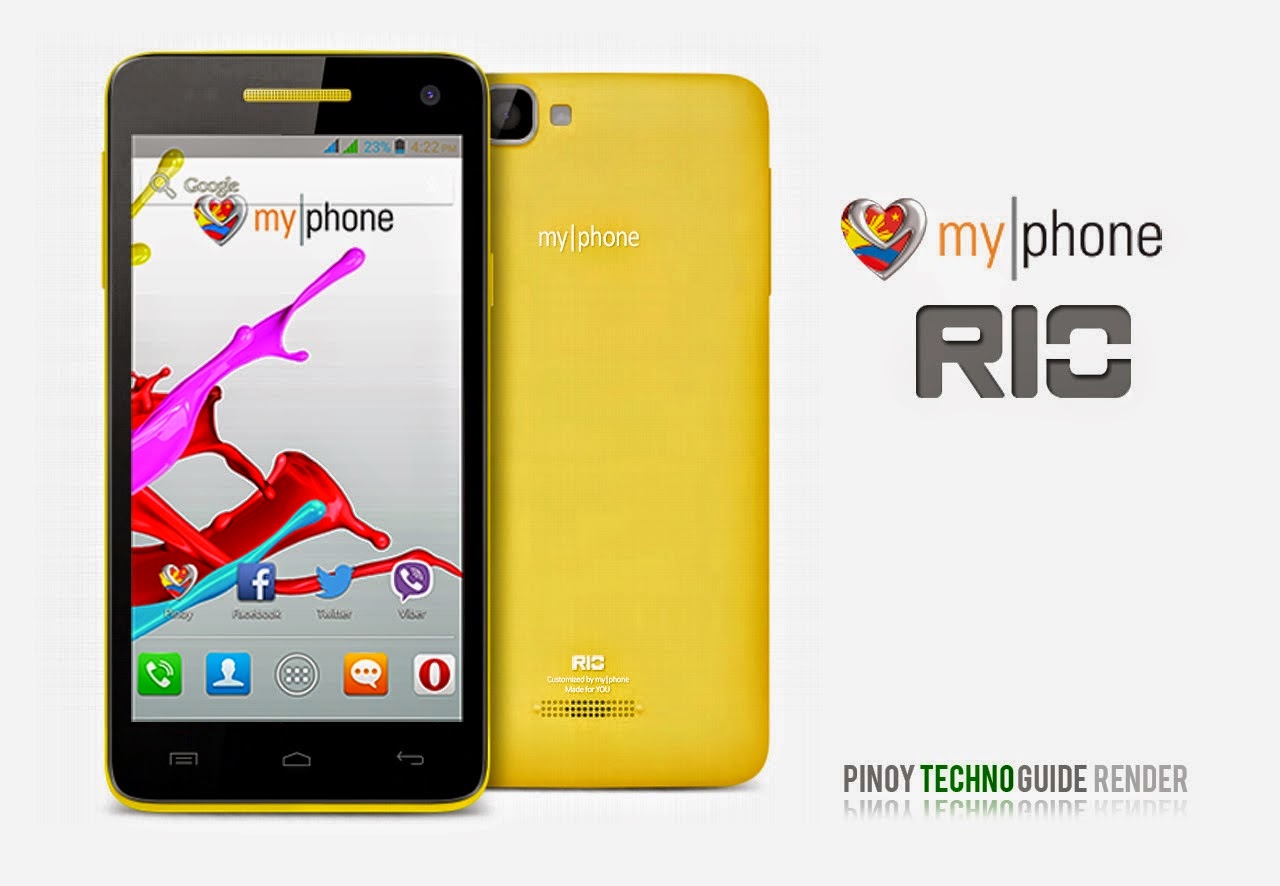
Hard Reset your MyPhone Rio and remove password pattern lock and gmail account
A colossal phone it is, the MyPhone RIO drop by in my workstation, and made a tutorial in Hard Resetting your MyPhone RIO.
Hard resetting / factory resetting your phone will solve the following issues:
1. If you forgot your pattern lock
2. If you forgot your gmail account
3. If you forgot your password
4. Apps that automatically force closing
5. Stuck in MyPhone Logo (sometimes does not work if the firmware is totally damage)
NOTE: Performing hard reset will erase your data.
To hard reset:
1. Turn off your phone
2. Press and Hold VOLUME UP + VOLUME DOWN+ Power button simultaneously. Press VOLUME UP go to RECOVERY MODE
3. Press Power Button to activate Android System Recovery
4. Select wipe / factory reset, press Volume rocker to navigate and press the MENU Key to confirm the selection.
5. Reboot your phone.
Note: If performing hard reset did not succeed, you need to wipe the cache first in the android system recovery before performing wipe / factory reset.
I hope this tutorial helps you.. If you have any question just drop a comment.
Read more »
Hard resetting / factory resetting your phone will solve the following issues:
1. If you forgot your pattern lock
2. If you forgot your gmail account
3. If you forgot your password
4. Apps that automatically force closing
5. Stuck in MyPhone Logo (sometimes does not work if the firmware is totally damage)
NOTE: Performing hard reset will erase your data.
To hard reset:
1. Turn off your phone
2. Press and Hold VOLUME UP + VOLUME DOWN+ Power button simultaneously. Press VOLUME UP go to RECOVERY MODE
3. Press Power Button to activate Android System Recovery
4. Select wipe / factory reset, press Volume rocker to navigate and press the MENU Key to confirm the selection.
5. Reboot your phone.
Note: If performing hard reset did not succeed, you need to wipe the cache first in the android system recovery before performing wipe / factory reset.
I hope this tutorial helps you.. If you have any question just drop a comment.
Wednesday, January 28, 2015
Nokia Lumia 1320 Hard Reset Format Lock Code
Before you proceed flashing / hard resetting your phone / tablet make sure to back up your important files if possible. Because we care about your data.
In this tutorial I will teach you how to hard reset your Nokia Lumia 1320. This can also fix the cog wheel of death, blue screen of death. Hard reset combination works in other Windows Phone 8 devices.

OK Lets proceed follow the instruction bollow
1. Turn the power Off.
2. Press and hold the Volume down and connect the charger or the USB cable with PC, for about 8 seconds, you will see an exclamation mark (!) on the screen. Note: If you do not press any of the following keys, then the phone wp8 will starts boot normally.
Then press the keys in this exact order:
1. Volume up
2. Volume down
3. Power
4. Volume down
Then wait until the phone reboot. Just be patient. It takes about 2-3 minutes until it reboot into normal state.
Read more »
We also suggest that your battery should be atleast 50% or better to have it fully charge, lower than the said value may cause unwanted result, such as bricking your phone / tablet rendering it unuseable. This is very important in flashing your phone / tablet. Use original USB cable as possible.
Files that you downloaded should not be corrupted, if ever the file is corrupted you might brick your phone. Or the flashing will start.
Drivers are very important specially in Spreadtrum Chipset, having an Spreadtrum SPD6610 (non android devices) driver will not work in SPD6820 (android devices).
If you are using laptop to flash your phone, make your that it has enough charge. If your laptop shutdown when your flashing your phone/tablet, youll end up bricking your phone. Sometimes you can still recover your phone just flash it again and your phone will boot up again. But that is just a case to case basis, if your phone / tablet is deadboot (totally dead, erased all program in the chip) you cant recover it, you will need to seek professional help (technician).
In this tutorial I will teach you how to hard reset your Nokia Lumia 1320. This can also fix the cog wheel of death, blue screen of death. Hard reset combination works in other Windows Phone 8 devices.
OK Lets proceed follow the instruction bollow
1. Turn the power Off.
2. Press and hold the Volume down and connect the charger or the USB cable with PC, for about 8 seconds, you will see an exclamation mark (!) on the screen. Note: If you do not press any of the following keys, then the phone wp8 will starts boot normally.
Then press the keys in this exact order:
1. Volume up
2. Volume down
3. Power
4. Volume down
Then wait until the phone reboot. Just be patient. It takes about 2-3 minutes until it reboot into normal state.
Tuesday, January 27, 2015
Nokia Lumia 521 Hard Reset Blue Screen Reset Lock Code
Before you proceed flashing / hard resetting your phone / tablet make sure to back up your important files if possible. Because we care about your data.
In this tutorial I will teach you how to hard reset your Nokia Lumia 521. This can also fix the cog wheel of death, blue screen of death. Hard reset combination works in other Windows Phone 8 devices. This hard reset procedure works in Nokia Lumia 525.

OK Lets proceed follow the instruction bollow
1. Turn the power Off.
2. Press and hold the Volume down and connect the charger or the USB cable with PC, for about 8 seconds, you will see an exclamation mark (!) on the screen. Note: If you do not press any of the following keys, then the phone wp8 will starts boot normally.
Then press the keys in this exact order:
1. Volume up
2. Volume down
3. Power
4. Volume down
Then wait until the phone reboot. Just be patient. It takes about 2-3 minutes until it reboot into normal state.
Read more »
We also suggest that your battery should be atleast 50% or better to have it fully charge, lower than the said value may cause unwanted result, such as bricking your phone / tablet rendering it unuseable. This is very important in flashing your phone / tablet. Use original USB cable as possible.
Files that you downloaded should not be corrupted, if ever the file is corrupted you might brick your phone. Or the flashing will start.
Drivers are very important specially in Spreadtrum Chipset, having an Spreadtrum SPD6610 (non android devices) driver will not work in SPD6820 (android devices).
If you are using laptop to flash your phone, make your that it has enough charge. If your laptop shutdown when your flashing your phone/tablet, youll end up bricking your phone. Sometimes you can still recover your phone just flash it again and your phone will boot up again. But that is just a case to case basis, if your phone / tablet is deadboot (totally dead, erased all program in the chip) you cant recover it, you will need to seek professional help (technician).
In this tutorial I will teach you how to hard reset your Nokia Lumia 521. This can also fix the cog wheel of death, blue screen of death. Hard reset combination works in other Windows Phone 8 devices. This hard reset procedure works in Nokia Lumia 525.
OK Lets proceed follow the instruction bollow
1. Turn the power Off.
2. Press and hold the Volume down and connect the charger or the USB cable with PC, for about 8 seconds, you will see an exclamation mark (!) on the screen. Note: If you do not press any of the following keys, then the phone wp8 will starts boot normally.
Then press the keys in this exact order:
1. Volume up
2. Volume down
3. Power
4. Volume down
Then wait until the phone reboot. Just be patient. It takes about 2-3 minutes until it reboot into normal state.
Hard Reset your Cherry Mobile SPIN and remove password pattern lock gmail account
Cherry Mobile Spin Hard reset tutorial. I dont have much to say. :D This phone is like a HTC M8 clone :) Check out the tutorial below.

Hard resetting / factory resetting your phone will solve the following issues:
1. If you forgot your pattern lock
2. If you forgot your gmail account
3. If you forgot your password
4. Apps that automatically force closing
5. Stuck in Cherry Mobile Logo (sometimes does not work if the firmware is totally damage)
NOTE: Performing hard reset will erase your data.
To hard reset:
1. Turn off your phone.
2. Press and Hold VOLUME UP + Power button. Keep pressing and holding until the phone power up and until you a boot menu to appear.
3. Select Recovery Mode, To navigate press VOLUME UP to confirm your selection Press VOLUME DOWN.
4.Press Power Button to activate Android System Recovery.
5. Select wipe / factory reset, press Volume rocker to navigate and press VOLUME UP to confirm your selection
6. Reboot your phone.
Note:
If performing hard reset did not succeed, you need to wipe the cache first in the android system recovery before performing wipe / factory reset.
I hope this tutorial helps you.. If you have any question just drop a
comment.
Read more »
Hard resetting / factory resetting your phone will solve the following issues:
1. If you forgot your pattern lock
2. If you forgot your gmail account
3. If you forgot your password
4. Apps that automatically force closing
5. Stuck in Cherry Mobile Logo (sometimes does not work if the firmware is totally damage)
NOTE: Performing hard reset will erase your data.
To hard reset:
1. Turn off your phone.
2. Press and Hold VOLUME UP + Power button. Keep pressing and holding until the phone power up and until you a boot menu to appear.
3. Select Recovery Mode, To navigate press VOLUME UP to confirm your selection Press VOLUME DOWN.
4.Press Power Button to activate Android System Recovery.
5. Select wipe / factory reset, press Volume rocker to navigate and press VOLUME UP to confirm your selection
6. Reboot your phone.
Note:
If performing hard reset did not succeed, you need to wipe the cache first in the android system recovery before performing wipe / factory reset.
I hope this tutorial helps you.. If you have any question just drop a
comment.
Nokia Lumia 625 Hard Reset Format Lock Code Blue Screen
Before you proceed flashing / hard resetting your phone / tablet make sure to back up your important files if possible. Because we care about your data.
In this tutorial I will teach you how to hard reset your Nokia Lumia 625. This can also fix the cog wheel of death, blue screen of death. Hard reset combination works in other Windows Phone 8 devices.

OK Lets proceed follow the instruction bollow
1. Turn the power Off.
2. Press and hold the Volume down and connect the charger or the USB cable with PC, for about 8 seconds, you will see an exclamation mark (!) on the screen. Note: If you do not press any of the following keys, then the phone wp8 will starts boot normally.
Then press the keys in this exact order:
1. Volume up
2. Volume down
3. Power
4. Volume down
Then wait until the phone reboot. Just be patient. It takes about 2-3 minutes until it reboot into normal state.
Tested by: (see comment box)
Adders
Read more »
We also suggest that your battery should be atleast 50% or better to have it fully charge, lower than the said value may cause unwanted result, such as bricking your phone / tablet rendering it unuseable. This is very important in flashing your phone / tablet. Use original USB cable as possible.
Files that you downloaded should not be corrupted, if ever the file is corrupted you might brick your phone. Or the flashing will start.
Drivers are very important specially in Spreadtrum Chipset, having an Spreadtrum SPD6610 (non android devices) driver will not work in SPD6820 (android devices).
If you are using laptop to flash your phone, make your that it has enough charge. If your laptop shutdown when your flashing your phone/tablet, youll end up bricking your phone. Sometimes you can still recover your phone just flash it again and your phone will boot up again. But that is just a case to case basis, if your phone / tablet is deadboot (totally dead, erased all program in the chip) you cant recover it, you will need to seek professional help (technician).
In this tutorial I will teach you how to hard reset your Nokia Lumia 625. This can also fix the cog wheel of death, blue screen of death. Hard reset combination works in other Windows Phone 8 devices.
OK Lets proceed follow the instruction bollow
1. Turn the power Off.
2. Press and hold the Volume down and connect the charger or the USB cable with PC, for about 8 seconds, you will see an exclamation mark (!) on the screen. Note: If you do not press any of the following keys, then the phone wp8 will starts boot normally.
Then press the keys in this exact order:
1. Volume up
2. Volume down
3. Power
4. Volume down
Then wait until the phone reboot. Just be patient. It takes about 2-3 minutes until it reboot into normal state.
Tested by: (see comment box)
Adders
Subscribe to:
Posts (Atom)