Showing posts with label 2. Show all posts
Showing posts with label 2. Show all posts
Saturday, February 28, 2015
I Have Bragging Rights Because I Am Part 2
- Part 1 - Teaching Habits That Inspire You Out of Learning?
- Link to ZaidLearns Del.icio.us Teaching Links

"If you done it, it aint bragging." - Walt Whitman"Its not bragging if you can back it up." - Muhammad Ali
“He who is humble is confident and wise. He who brags is insecure and lacking.” - Lisa Edmondson
In the last episode, we got a taste of a lecturer that only had time to engage the whiteboard, so that he could complete his syllabus. This time around, I will have to put on my student experience goggles and transport myself back to an undergraduate psychology course (Deviant Behavior) I took in the previous millennium. For the identity protection sake, we will name this lecturer Dr. Brag.
DEVIANT BEHAVIOR
Dr. Brag was not an ordinary lecturer. No, he was an extraordinary lecturer! I used to enjoy coming to his classes, and occasionally he practiced what he preached, too. So, why are you writing about Dr. Brag? Lets begin!
Although, I admired his expertise, experience and knowledge, it got kind of frustrating listening to him brag (boastful statements/arrogant talk) about all his amazing achievements every class. By the end of the course, we probably knew more about him and his familys achievements than the subject matter itself. Every class, we would hear one self-glory ego-boosting story after another, covering his greatness in sports, politics, work, family and education. Yes, he was also writing more than 10 books concurrently at that time. My best friend was assisting him in editing these books, and that must have been reasonably challenging. I wonder if Dr. Brag ever finished writing any of those amazing books.
I have to feel sorry for the guy, too. He had high blood pressure and was a diabetic in a country like Malaysia. Now, that is a bad combination, especially when the classroom is hot and humid with many students who are mentally on holiday. Or sleeping with their eyes open!
Anyway, I was there! Since I had already developed the habit of sitting in the front row and asking questions, the classes got quite lively at times. Although, he bragged a lot, I loved the fact that he would always challenge us. The one bragging challenge that really got to me, was that he was happy to claim that, "No student in my class has ever gotten an A!" I am not sure if that is something a lecturer should be proud of, but strangely some are.
That was a challenge too good to resist. I didnt get that many As during my undergraduate days, but somehow this particular challenge inspired me to get one. And I am really proud to share with you all that I was the first student at the University to achieve an A with him (Am I bragging or what! I hope he was actually telling the truth!). The glory was short lived though, as I heard that others got As with him in the following semesters. Well, I am proud to be the first one at least (Bragging again!).
I suppose Deviant Behavior was a course that came naturally to me, so I should not think so highly of my success. It is also no surprise that I also scored an A in Abnormal Psychology (Oh man, can you stop bragging!). Some students scores As all the way, some score As in only subjects they like, and some dont get a single one. Nothing to worry about, if you believe in yourself and work hard, I am pretty sure you can succeed anyway. Also, scoring As is probably not the best indicator to predict future success in life. Though, it does help to get a few As on your scroll, because it could at least help you to get an interview with a top company. Why didnt I think of that earlier!
REFLECTION
Some argue that Teachers or lecturers join the academic world (of theory), because they are failures in the real (practical) world. Such statements often drive academic staff nuts (even if it is sometimes true!), and brings laughter to students. Anyway, we dont need to go into this discussion here, because it will probably lead to no constructive alignment.
Instead, we could ask ourselves, "why do we like to brag about our achievements?" Do you brag? I certainly do, but I usually feel kind of stupid when I realize it. But then again, we forget fast, because it is always nice to feel appreciated and important. The best thing is when someone else praises us about our work. But if none do, we could always do it ourselves.
The best thing about teaching and bragging, is that we are guaranteed an audience, which will probably just look in shock and awe (some will already be sleeping!). I mean, no sane student is going to stand up, and tell the lecturer, "Give us a break from your pathetic achievements, and please get on with the class!" And unless one or a few students make it clear sooner or later, the lecturer will probably continue semester after semester, year after year. Interestingly, the stories will become more amazing and exciting every time they are told. There might even be 2-3 new versions every semester, especially if the lecturer is teaching more than one section.
Certainly, lecturers that have a lot of experiences relevant to the topic discussed should share them with the class. However, we should also ask ourselves whether we are doing it to assist our students to understand the learning content better, or emphasize an important point, or are we doing it to boost our ego. Perhaps we do it for both reasons.
If you think that your achievements are so great, perhaps you should watch a few TED Talks to put your achievements in a global perspective (do a bit of benchmarking, please!).
In my opinion, the greatness of a lecturer does not lie in what he (or she) has personally achieved. Instead, a great lecturer is a person who is able to consistently facilitate AHA-moments in students (Oh, now I understand!) and inspire (or trigger) them to explore and discover their true potential.
To sum up, Dr. Brag was actually a very knowledgeable and experienced lecturer, but his habit of bragging was something that was in my opinion more destructive than constructive in motivating students and facilitating learning.
Do you brag in class (or at work)? Has it become a habit beyond control? Think about it! It doesnt take much effort to change. I am trying, but I want to be appreciated and feel important! Unless I tell them, they will never respect me, recognize my amazing talent, and look up to me. What was the agenda again?
"Develop success from failures. Discouragement and failure are two of the surest stepping stones to success." - Dale Carnegie
5-PART SERIES
- Part 1 - Whiteboard And I Are One!
- Part 2 - I Have Bragging Rights, Because I Am …
- Part 3 - Is PowerPoint Evil?
- Part 4 - No Stupid Questions! I am Serious!
- Part 5 - Show Up to Throw Up! 21st Century Thinking?

Thursday, February 12, 2015
C program to find sum of series 1 1 2 2 1 3 3 1 n n

#include<iostream.h>
#include<conio.h>
#include<math.h>
void main()
{
clrscr();
double sum=0,a;
int n,i;
cout<<"1+1/2^2+1/3^3+.....+1/n^n";
cout<<"
Enter value of n:";
cin>>n;
for(i=1;i<=n;++i)
{
a=1/pow(i,i);
sum+=a;
}
cout<<"Sum="<<sum;
getch();
}
Sunday, February 1, 2015
Cherry Mobile Thunder 2 0 Stock rom firmware to unbrick your phone
Hey,
For those who are looking for the Cherry Mobile Thunder 2.0 firmware or stock rom for your phone here it is.
For those who are looking for the Cherry Mobile Thunder 2.0 firmware or stock rom for your phone here it is.

Firmware Here -->Cherry Mobile Thunder
Part 2 -- > Firmware Part 2
Part 3 --> Firmware Part 3
VCOM Driver -->VCOM Manual
Alternative Driver --> AutoInstaller
Alternative Driver --> AutoInstaller
SPFlashTool --> LatestVersion
Use 7zip to extract the file
"Extract the files to your desired folder" See picture below"
"If you encounter error in flashtool, use different version of it."

Installing Driver
First try the Alternative Driver, which is the AutoInstaller. Just open the install.bat then it will automatically install the driver. Then proceed to flashing. If it did not work then proceed with VCOM driver that you had downloaded. Then install it manually follow the guide below.
Video Reference using Driver Auto Installer (watch in HD)
When installing it manually your phone must be turned off, then connect it to your computer/laptop while pressing VOLUME UP or VOLUME DOWN. This will detect and look for the driver.

1. This is the first time that you will connect your phone and it will search for the correct driver.

2. Check include this location ... ... and click on browse. Look for USB VCOM Driver and Click on 2K_XP_COM folder if you are using Windows XP or Win7 for Windows 7 and then press OK when you are done picking the right folder for the driver.

3. If the driver is successfully installed MediaTek DA USB VCOM will appear in the New Hardware Wizard.
Video Installing VCOM Driver (please watch in HD)
Video Flashing your phone (please watch in HD)
Flashing
1. Launch FlashTool
2. Click on Scatter-Loading, and load your scatter file. (see example below with loaded file in Flash Tool


Video Reference Using FlashTool version 5.xxx (watch in HD)
3. After you load the file, press F9 or Press Download to Flash your Phone.
4. If Download is not possible, you can press Firmware Upgrade.
5. After you press Download or Firmware Upgrade re-insert your battery and connect your Phone to the PC. Press Volume Down or Volume Up while connecting to PC.
"Hard reset your phone after flashing"
I hope this tutorial help you. Please drop a comment if something is not clear to you.
Cherry Mobile Sapphire 2 0 Stock ROM firmware to unbrick your phone
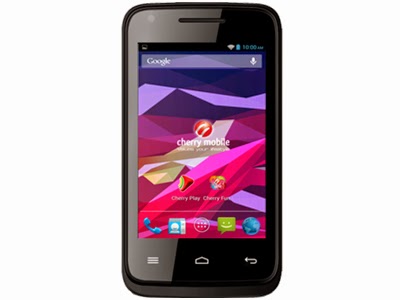
The much awaited firmware for Cherry Mobile Sapphire 2.0 is here. You can now fix your bootlooped or softbricked phones. Thank you for those who shared this firmware. To check if your sapphire is version 2, check it at the back of your phone, near IMEI section.
Read more »
If you do not have the driver. I also provide the driver. Or you can go to my Tools section and find MTK SPD Driver.
TOOLS
ResearchDownload --> DOWNLOAD HERE
Firmware --> Download HERE
Driver -- > DOWNLOAD HERE
DOWNLOAD THE FILES, AND EXTRACT. INSTALL DRIVER.
To install the driver
1. To fully flash your phone
2. To remove password, pattern lock, and gmail account.
TO remove password, pattern lock and gmail account.
1. Open Researchdownload
2. Load packet and look for file(first button)
3. Check only the following
✓FDL1✓FDL2✓UserData
4. Click in calibration/backup page, and UNCHECK ALL and press OK
5. And lastly press the Play button to continue flashing.
TO fully flash your phone.
1. Open Researchdownload
2. Load packet and look for file(first button)
3. Remove check in the following selection
✓EraseRuntimeNV
✓PHASE_CHECK
✓EraseCache
✓EraseData
✓EraseMisc
4. Click in Calibration/BACK UP page, and UNCHECK ALL and press OK
5. Press Play button
6. Press and Hold VOLUME UP and VOLUME DOWN and insert USB cable. (your phone must be turned off)
7. Repeat number 6 if your phone is not detected by researchdownload.
8. If detected by research download just wait until the flashing is done and it should reboot your phone automatically.
I hope this tutorial help you recover your phone :)
For 32bit WINDOWS OS only.
TOOLS
ResearchDownload --> DOWNLOAD HERE
Firmware --> Download HERE
Driver -- > DOWNLOAD HERE
DOWNLOAD THE FILES, AND EXTRACT. INSTALL DRIVER.
To install the driver
- Extract SPD SCI-android-usb-driver.zip anywhere you want
- Open SPD SCI-android-usb-driver
- Open x86 folder
- Open DPInst.exe this will install the driver.
1. To fully flash your phone
2. To remove password, pattern lock, and gmail account.
TO remove password, pattern lock and gmail account.
1. Open Researchdownload
2. Load packet and look for file(first button)
3. Check only the following
✓FDL1✓FDL2✓UserData
4. Click in calibration/backup page, and UNCHECK ALL and press OK
5. And lastly press the Play button to continue flashing.
TO fully flash your phone.
1. Open Researchdownload
2. Load packet and look for file(first button)
3. Remove check in the following selection
✓EraseRuntimeNV
✓PHASE_CHECK
✓EraseCache
✓EraseData
✓EraseMisc
4. Click in Calibration/BACK UP page, and UNCHECK ALL and press OK
5. Press Play button
6. Press and Hold VOLUME UP and VOLUME DOWN and insert USB cable. (your phone must be turned off)
7. Repeat number 6 if your phone is not detected by researchdownload.
8. If detected by research download just wait until the flashing is done and it should reboot your phone automatically.
I hope this tutorial help you recover your phone :)
Cube U30GT2 Peas 2 Official Firmware
Cube U30GT2 Peas 2
Android Tablet Firmware
DOWNLOAD OFFICIAL FIRMWARE
Friday, January 30, 2015
Allwinner A10 F8 2G M1190 3 1 20120505 0 5 2 a088 Firmware Download
Allwinner A10
F8-2G-M1190-3.1-20120505.0.5.2-a088.Stock Firmware Download.
This firmware img file is stock firmware or generic rom for Allwinner A10 Android tablets which based on board id F8-2G-M1190.If you tablet stuck on boot logo,forgotten pattern lock ,generating errors you need to flash Allwinner A10 tablet with this firmware. Before flashing try to hard reset your tablet, if fails then think about flash . Flashing stock firmware should be last option. If you are newbie on this game you need to read first
Basic steps for flashing tablet firmware for newbies.
For flashing Allwinner tablets you need to have Livesuit Flashing Tools .
Tablet Flashing Tools:
- Tablet Flashing Tool : Firmware upgrade tool LiveSuit & Drivers
For Android Tablet flashing Procedure you need to read the tutorials.
- LiveSuit Tutorial : how to flash tablet with LiveSuit
- Phoenixcard Tool:Firmware update instruction with microSD card
You can also use : Android Multi Tools
Download Allwinner A10 Stock Firmware
Related Firmware :
Allwinner A10 A088 slim-m1190-3.1y-20121108.1.0.5 Flashing Files
Tuesday, January 27, 2015
Q88D V1 2 Allwinner A13 Android Tablet Firmware Download
Q88D V1.2 Android Tablet Firmware
Allwinner A13Tested and find 100% working . Flash with livesuit .This firmware is in Thai but you can change its language . This Rom worked with the board id Q88D .
Flash your Android Tablet in Following Cases.
Encyclopedia:-
Read Article About Allwinner A1X Chips
Specifications:
Read Article About Allwinner A1X Chips
Specifications:
Chipset : Allwinner A13
Board ID : Q88D V1.2
Brand: Various Companies use this board
Android Version : 4.0.4
CPU : 1.2 Ghz
Display: 800 x 600
Display: 800 x 600
Ram : 512 / IGB
flash Memory : 4GB / 8GB
Flashing Tools:
- Flashing Tool : LiveSuit Pack
- Flashing Tool: Phoenix Usb Pro
Flashing Tutorials:
- Livesuit Tutorial : how to flashing tablet with Livesuit
- Phoenix Usb PrO Video Tutorial :Tutorial
Recommended Tools:
You can also use : Android Multi Tools
How do I update my Android Tablet with microSD Card.
1. Unzip the update file, and copy the 3 files to an empty microsd card. (the 3 files must be copied to the root of the microSD card) Then turn off your Android Tablet , insert the MicroSD card into the android tablet.
2. Push and hold volume - key on the tablet, and while holding this push and hold POWER button aswell. Wait until screen flickers and release power key, but keep on pushing
volume - key until the green Android robot is shown.
3.Now you can release keys and wait for the update to finish.
When updated, the tablet starts up all over.
Note:
Please notice that firmware update will delete all settings, apps etc. you may have downloaded to your tablet.
Flash your Android Tablet in Following Cases.
The following firmware / ROM file will be used when your Android tablet facing various problems . In case of
1. Forgotten Pattern Lock ,
2.Too many pattern attempt / Reset user lock
3. Android Tablet stuck on Gmail account
4. Android Tablet stuck on Android logo
5.Android Tablet hang on startup
you can use this Android Tablet firmware ROM to make your Android China tablet working again . Make sure to charge battery . Power failure during flashing may result dead or broken tablet.
Flashing stock firmware should be last option.
Download :
Download Stock Rom
Related Posts:
Allwinner A13 Q88D V1.1
Zenithink C94 10 1 1024MB 8GB Android4 2 2013 09 03 GT2005 Version
10.1" C94 (1024MB+8GB) Android4.2 2013-09-03 GT2005 Version.
This version suits to C94 model with barcode C94S-FT-8GB-xxxxxx-x.
Upgrading with PC via USB cable
- 1. First download and install the PhoneixSuitV1.0.3.
- 2. Then download the corresponding firmware file and extract it into a temporary folder.
- 3. Open Phoneix Suit software, connect your tablet(power on status) with USB cable. After the tablet is successfully connected, select the Onekey-upgrading, and then select the corresponding firmware file, confirm your action.
Note: keep charged when the machine is being installed the firmware. Please see the detail procedure file (C94_PC_upgrading.zip)
DOWNLOAD OFFICIAL FIRMWARE
Subscribe to:
Posts (Atom)