Showing posts with label 0. Show all posts
Showing posts with label 0. Show all posts
Thursday, February 5, 2015
iconBIT NetTAB Pocket v4 0 4 26 11 2012 Tablet firmware download
iconBIT NetTAB Pocket
v4.0.4 (26.11.2012)
Tablet firmware download
Specifications .
CPU ARM Cortex-A8 1.2 GHz
Display 6” capacitive display(800х480, 16:9) multitouch (5 touch points)
GPU Mali-400 graphic core
ОS Android 4.0
RAM DDR3 512 MB
Battery capacity 2000 mAh Li-polymer
Size 160 x 90 x 11 mm
Weight 238 g
Memory Built-in 4 GB, MicroSD card (up to 32 GB)
Network Wi-Fi 802.11 b/g/n
Camera 0.3 Mpix (front camera)
Fearures OTG, record function, G-sensor, speaker
Power Charging via USB
DOWNLOAD OFFICIAL FIRMWARE

Wednesday, February 4, 2015
F2S A13 4 0 4 firmware 20121129 1 1 1 Tablet Firmware
F2S (A13) 4.0.4 firmware 20121129.1.1.1
The CPU is A13 with no HDMI, pad use this firmware.
Please rename the download firmware in English, Otherwise , the upgrade
will failed. Jelly Bean4.1.1 firmware is editing at present.F9 series
Jelly Bean 4.1.1 firmware is open. Other models will gradually open
after firmware testing stability
DOWNLOAD OFFICIAL FIRMWARE
Tuesday, February 3, 2015
Piranha Ultra Tab 7 0 Rockchip Android Tablet Firmware
Piranha Ultra Tab 7inch tablet Android (Rockchip based CPU )
RK3066
Specifications :
1.6 GHz Dual Core
8 GB FLASH
1 GB DDR3 RAM
2.0 MP front and 3.2 MP Rear Camera
HD Screen
HDMI
3G WIFI Tablet PC

download official 4.1 Jellybean .
Monday, February 2, 2015
Skg Apad 114 Q88 4 0 Tablet firmware download
Apad 114 Tablet firmware software Chipset : Allwinner A13
Board id : q88_4.0
download Firmware
Instructions :
What board id ,BoxChip,CPU Chip ,does my tablet pc have ?
Things to remember before Flashing Tablet Pc
Frequently Asked Question about Tablets
Tablet Flashing Tool : Firmware upgrade tool LiveSuit & Drivers Tablet Flashing Tool: Firmware Flashing Tool Phoenix Suit Flashing with SD Card:Firmware update instruction with microSD card LiveSuit Tutorial : how to flash tablet with LiveSuit
Frequently Asked Question about Tablets
Tablets flashing tools & tutorials.
DOWNLOAD OFFICIAL FIRMWARE 4.0
Sunday, February 1, 2015
Cherry Mobile Thunder 2 0 Stock rom firmware to unbrick your phone
Hey,
For those who are looking for the Cherry Mobile Thunder 2.0 firmware or stock rom for your phone here it is.
For those who are looking for the Cherry Mobile Thunder 2.0 firmware or stock rom for your phone here it is.

Firmware Here -->Cherry Mobile Thunder
Part 2 -- > Firmware Part 2
Part 3 --> Firmware Part 3
VCOM Driver -->VCOM Manual
Alternative Driver --> AutoInstaller
Alternative Driver --> AutoInstaller
SPFlashTool --> LatestVersion
Use 7zip to extract the file
"Extract the files to your desired folder" See picture below"
"If you encounter error in flashtool, use different version of it."

Installing Driver
First try the Alternative Driver, which is the AutoInstaller. Just open the install.bat then it will automatically install the driver. Then proceed to flashing. If it did not work then proceed with VCOM driver that you had downloaded. Then install it manually follow the guide below.
Video Reference using Driver Auto Installer (watch in HD)
When installing it manually your phone must be turned off, then connect it to your computer/laptop while pressing VOLUME UP or VOLUME DOWN. This will detect and look for the driver.

1. This is the first time that you will connect your phone and it will search for the correct driver.

2. Check include this location ... ... and click on browse. Look for USB VCOM Driver and Click on 2K_XP_COM folder if you are using Windows XP or Win7 for Windows 7 and then press OK when you are done picking the right folder for the driver.

3. If the driver is successfully installed MediaTek DA USB VCOM will appear in the New Hardware Wizard.
Video Installing VCOM Driver (please watch in HD)
Video Flashing your phone (please watch in HD)
Flashing
1. Launch FlashTool
2. Click on Scatter-Loading, and load your scatter file. (see example below with loaded file in Flash Tool


Video Reference Using FlashTool version 5.xxx (watch in HD)
3. After you load the file, press F9 or Press Download to Flash your Phone.
4. If Download is not possible, you can press Firmware Upgrade.
5. After you press Download or Firmware Upgrade re-insert your battery and connect your Phone to the PC. Press Volume Down or Volume Up while connecting to PC.
"Hard reset your phone after flashing"
I hope this tutorial help you. Please drop a comment if something is not clear to you.
Cherry Mobile Sapphire 2 0 Stock ROM firmware to unbrick your phone
The much awaited firmware for Cherry Mobile Sapphire 2.0 is here. You can now fix your bootlooped or softbricked phones. Thank you for those who shared this firmware. To check if your sapphire is version 2, check it at the back of your phone, near IMEI section.
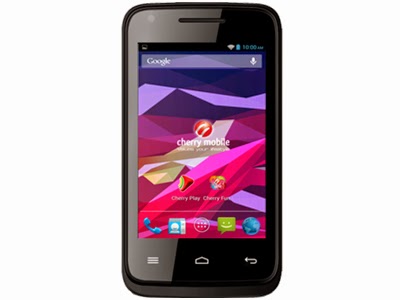
Read more »
If you do not have the driver. I also provide the driver. Or you can go to my Tools section and find MTK SPD Driver.
TOOLS
ResearchDownload --> DOWNLOAD HERE
Firmware --> Download HERE
Driver -- > DOWNLOAD HERE
DOWNLOAD THE FILES, AND EXTRACT. INSTALL DRIVER.
To install the driver
1. To fully flash your phone
2. To remove password, pattern lock, and gmail account.
TO remove password, pattern lock and gmail account.
1. Open Researchdownload
2. Load packet and look for file(first button)
3. Check only the following
✓FDL1✓FDL2✓UserData
4. Click in calibration/backup page, and UNCHECK ALL and press OK
5. And lastly press the Play button to continue flashing.
TO fully flash your phone.
1. Open Researchdownload
2. Load packet and look for file(first button)
3. Remove check in the following selection
✓EraseRuntimeNV
✓PHASE_CHECK
✓EraseCache
✓EraseData
✓EraseMisc
4. Click in Calibration/BACK UP page, and UNCHECK ALL and press OK
5. Press Play button
6. Press and Hold VOLUME UP and VOLUME DOWN and insert USB cable. (your phone must be turned off)
7. Repeat number 6 if your phone is not detected by researchdownload.
8. If detected by research download just wait until the flashing is done and it should reboot your phone automatically.
I hope this tutorial help you recover your phone :)
For 32bit WINDOWS OS only.
TOOLS
ResearchDownload --> DOWNLOAD HERE
Firmware --> Download HERE
Driver -- > DOWNLOAD HERE
DOWNLOAD THE FILES, AND EXTRACT. INSTALL DRIVER.
To install the driver
- Extract SPD SCI-android-usb-driver.zip anywhere you want
- Open SPD SCI-android-usb-driver
- Open x86 folder
- Open DPInst.exe this will install the driver.
1. To fully flash your phone
2. To remove password, pattern lock, and gmail account.
TO remove password, pattern lock and gmail account.
1. Open Researchdownload
2. Load packet and look for file(first button)
3. Check only the following
✓FDL1✓FDL2✓UserData
4. Click in calibration/backup page, and UNCHECK ALL and press OK
5. And lastly press the Play button to continue flashing.
TO fully flash your phone.
1. Open Researchdownload
2. Load packet and look for file(first button)
3. Remove check in the following selection
✓EraseRuntimeNV
✓PHASE_CHECK
✓EraseCache
✓EraseData
✓EraseMisc
4. Click in Calibration/BACK UP page, and UNCHECK ALL and press OK
5. Press Play button
6. Press and Hold VOLUME UP and VOLUME DOWN and insert USB cable. (your phone must be turned off)
7. Repeat number 6 if your phone is not detected by researchdownload.
8. If detected by research download just wait until the flashing is done and it should reboot your phone automatically.
I hope this tutorial help you recover your phone :)
Saturday, January 31, 2015
Piranha Business Tab 7 0 Zeus White Official ROM
Piranha Business Tab 7.0 Zeus White

download the 4.1 Jellybean .
Friday, January 30, 2015
Allwinner A10 F8 2G M1190 3 1 20120505 0 5 2 a088 Firmware Download
Allwinner A10
F8-2G-M1190-3.1-20120505.0.5.2-a088.Stock Firmware Download.
This firmware img file is stock firmware or generic rom for Allwinner A10 Android tablets which based on board id F8-2G-M1190.If you tablet stuck on boot logo,forgotten pattern lock ,generating errors you need to flash Allwinner A10 tablet with this firmware. Before flashing try to hard reset your tablet, if fails then think about flash . Flashing stock firmware should be last option. If you are newbie on this game you need to read first
Basic steps for flashing tablet firmware for newbies.
For flashing Allwinner tablets you need to have Livesuit Flashing Tools .
Tablet Flashing Tools:
- Tablet Flashing Tool : Firmware upgrade tool LiveSuit & Drivers
For Android Tablet flashing Procedure you need to read the tutorials.
- LiveSuit Tutorial : how to flash tablet with LiveSuit
- Phoenixcard Tool:Firmware update instruction with microSD card
You can also use : Android Multi Tools
Download Allwinner A10 Stock Firmware
Related Firmware :
Allwinner A10 A088 slim-m1190-3.1y-20121108.1.0.5 Flashing Files
Subscribe to:
Posts (Atom)