Showing posts with label from. Show all posts
Showing posts with label from. Show all posts
Tuesday, March 10, 2015
What I learned about agile teams from 8 9 year old girls basketball
I am a very fortunate daddy. I am one of the coaches for my eldest daughters basketball team. The community league she plays in has a rule designed to promote team work that at first glance may seem counter intuitive - "No double teaming". This means that in most circumstances when playing defense each girl must cover her own check and can not help out her teammate. To explain this a little more, Ill give you two examples.
Read more »
Example 1 - double teaming:
Mary is new to basketball and is tentatively dribbling the ball over half court. Ann is playing defense on Mary and is doing a pretty good job of limiting where Mary can go and who she can pass to. Laura is a very strong player on Anns team and notices that Mary is struggling and that she has an opportunity to make a play. Laura leaves her own check, runs over to Mary (who is now double teamed), steals the ball and races to her own basket where she scores an easy two points. Her team cheers loudly.
Example 2 - helping:
Amber is an experienced basketball player and is dribbling the ball over half court. Kari is playing defense on Amber but is having trouble limiting where Amber can go and who she can pass to. Deanna is a very strong player on Karis team, but because she is not allowed to double team, she does not immediately race over to help Kari. Amber makes a quick move that allows her to get past Kari and race towards the basket. At this point, Kari knows she is in trouble and yells help. Deanna races over and gets in front of Amber to slow her down just enough so that Kari can catch up. Once Kari has caught up, Deanna races back to her own check and Kari resumes playing defense on Amber. No baskets are scored and mild applause is heard.
The nature of community led basketball leagues is that there is a combination of inexperienced but willing coaches and inexperienced but willing referees. This means that most times example 1 occurs without the ref or the coach interfering. While our team has been mostly executing as example 2, many of the teams we play against have been executing mostly as example 1.
Over the course of the season, the result has been interesting. Teams that were beating us at the beginning of the season by taking full advantage of the skills of their best player through double teaming are now struggling to even have a chance to score against our girls. The girls on those teams are trying just as hard, but the double teaming strategy that worked so well early in the season is no longer effective.
We have a team of 10 girls who have each improved. Some of the girls are more skilled than others, but each girl has improved noticably from the beginning of the season. The net effect is that our team has also improved noticably from the beginning of the season. Maybe more importantly, this team supports each other, learns from each other, and trusts each other.
Note: It would be easy to credit our brilliant coaching strategy, but that would clearly discount the effort, teamwork, and skill of the girls on our team. They are a wonderful group.
The parallels for agile teams are pretty clear to me. If you expect your team to perform at a high level, you need to let them improve at every role and reinforce team ownership of the project.
- If you are the PM, dont take sole responsibility of the budget, tasks, project goals etc. Make these visible to your team and help your team own them and make decisions about tasks and priorities together.
- If you are the DBA, dont get upset when the database design is insufficient, teach the team how to improve their design the first time. Work with them rather than fixing their work later.
- If you are a tester, dont assume full responsibility for testing, teach your team how to be better testers by testing every day and pair testing with the developers.
- If you are the UI expert, involve your team when designing the UI. Lead the exercise, but dont steal the design for yourself.
Of course, the converse of all of these is also true:
- If you are a developer, take responsibility for the budget and priorities
- If you are a tester, learn how to code a little
- etc.
There are other lessons to be learned from 8/9 year old girls basketball, like how to ask for help when you need it, but those are for another day.
Occasionally I meet former co-workers who inevitably ask me what Im doing. When I announce my agile and lean passions and talk even briefly about the differences between traditional teams and agile teams, I often am greeted with a response something like "But someone still has to manage the team and the budget right?" My answer is usually "Yes, but it doesnt need to be you anymore. It should be the whole team."
As the African proverb says, "If you want to go fast, go alone. If you want to go far, go together."

Sunday, February 15, 2015
Embedding BI Call username password and dashboard parameters from CDE dashobard URL using iframe tags
A small workout on Embedding BI using Pentaho CDE dashboards..
Version Specific :
BA server : 5.1.0 stable CE
C-Tools : CDE,CDA,CDF of latest TRUNK version (after 14.x)
Steps :
1) Open your dashboard in new window to generate the URL
2) For instance the URL is some thing similar as shown below
URL when you open in new window
http://localhost:8085/pentaho/api/repos/:public:Explore:CDEExploring:Test:passParametersFromURL.wcdf/generatedContent
URL after adding BA Server Username and Password as parameters
http://localhost:8085/pentaho/api/repos/:public:Explore:CDEExploring:Test:passParametersFromURL.wcdf/generatedContent?userid=admin&password=password
URL after adding Dashboard parameters along with BA server credentials as parameters
http://localhost:8085/pentaho/api/repos/:public:Explore:CDEExploring:Test:passParametersFromURL.wcdf/generatedContent?userid=admin&password=password¶m1_deptId=100¶m2_Date=01/04/2014
Here you need to take custom parameters instead of Simple parameters.
i.e.,
For example :
param1_deptId is the custom parameter and in the java script area you need to write below code
function sendParam(){
return Dashboards.getQueryParameter("param1_deptId");
}
In another case of passing parameter like date type
param2_Date is the custom parameter and in the java script area you need to write below code
function sendParam(){
return Dashboards.getQueryParameter("param2_Date");
}
You need to add these parameters to your chart and query
For chart :
Parameters : param1_deptId,param2_Date
Listners : param1_deptId,param2_Date
For query :
Parameters: param1_deptId (String Type)
param2_Date(String Type)
Sample Query in Oracle SQL where clause for the above scenario :
where
to_char(column1_deptId)=${param1_deptId}
AND
to_char(column2_date(+),mm/dd/yyyy) =${param2_Date}
note that in the above clause (+) indicates in right outer join Oracle 10g
NOTE: You can pass multiple general parameters by adding ¶mName=value in the URL
3) Copy paste the URL in the web browser and test.. You will find the dashboard output directly.
Imp Note :
URL passing mechanism in BA server 5 is slightly differ from previous versions.
As suggested in jira for pentaho 5 server, you need to modify applicationContext-spring-security.xml under pentaho-solutions/system
Change 1 : at line 22
Original Code :
/api/**=securityContextHolderAwareRequestFilterForWS,httpSessionPentahoSessionContextIntegrationFilter,httpSessionContextIntegrationFilter,basicProcessingFilter,anonymousProcessingFilter,exceptionTranslationFilterForWS,filterInvocationInterceptorForWS
Replace the Original Code with :
Change 2 : at line 23
Original Code :
Using iframetags :
References :
1) http://pedroalves-bi.blogspot.in/2013/08/embedded-analytics-in-pentaho-with.html
2) http://forums.pentaho.com/showthread.php?157329-Authentication-for-CDE-Dashboard
3)http://jira.pentaho.com/browse/BISERVER-10708
4)http://forums.pentaho.com/showthread.php?146325-How-to-link-a-CDE-dashboard-to-another-CDE-dashboard-by-passing-parameters&p=358865#post358865
Thank you for reading this article and if you have any queries and/or suggestions drop your comments....
Version Specific :
BA server : 5.1.0 stable CE
C-Tools : CDE,CDA,CDF of latest TRUNK version (after 14.x)
Steps :
1) Open your dashboard in new window to generate the URL
2) For instance the URL is some thing similar as shown below
URL when you open in new window
http://localhost:8085/pentaho/api/repos/:public:Explore:CDEExploring:Test:passParametersFromURL.wcdf/generatedContent
URL after adding BA Server Username and Password as parameters
http://localhost:8085/pentaho/api/repos/:public:Explore:CDEExploring:Test:passParametersFromURL.wcdf/generatedContent?userid=admin&password=password
URL after adding Dashboard parameters along with BA server credentials as parameters
http://localhost:8085/pentaho/api/repos/:public:Explore:CDEExploring:Test:passParametersFromURL.wcdf/generatedContent?userid=admin&password=password¶m1_deptId=100¶m2_Date=01/04/2014
Here you need to take custom parameters instead of Simple parameters.
i.e.,
For example :
param1_deptId is the custom parameter and in the java script area you need to write below code
function sendParam(){
return Dashboards.getQueryParameter("param1_deptId");
}
In another case of passing parameter like date type
param2_Date is the custom parameter and in the java script area you need to write below code
function sendParam(){
return Dashboards.getQueryParameter("param2_Date");
}
You need to add these parameters to your chart and query
For chart :
Parameters : param1_deptId,param2_Date
Listners : param1_deptId,param2_Date
For query :
Parameters: param1_deptId (String Type)
param2_Date(String Type)
Sample Query in Oracle SQL where clause for the above scenario :
where
to_char(column1_deptId)=${param1_deptId}
AND
to_char(column2_date(+),mm/dd/yyyy) =${param2_Date}
note that in the above clause (+) indicates in right outer join Oracle 10g
NOTE: You can pass multiple general parameters by adding ¶mName=value in the URL
3) Copy paste the URL in the web browser and test.. You will find the dashboard output directly.
Imp Note :
URL passing mechanism in BA server 5 is slightly differ from previous versions.
As suggested in jira for pentaho 5 server, you need to modify applicationContext-spring-security.xml under pentaho-solutions/system
Change 1 : at line 22
Original Code :
/api/**=securityContextHolderAwareRequestFilterForWS,httpSessionPentahoSessionContextIntegrationFilter,httpSessionContextIntegrationFilter,basicProcessingFilter,anonymousProcessingFilter,exceptionTranslationFilterForWS,filterInvocationInterceptorForWS
Replace the Original Code with :
/api/**=securityContextHolderAwareRequestFilterForWS,httpSessionPentahoSessionContextIntegrationFilter,httpSessionContextIntegrationFilter,requestParameterProcessingFilter,basicProcessingFilter,anonymousProcessingFilter,exceptionTranslationFilterForWS,filterInvocationInterceptorForWS
Change 2 : at line 23
Original Code :
/plugin/**=securityContextHolderAwareRequestFilterForWS,httpSessionPentahoSessionContextIntegrationFilter,httpSessionContextIntegrationFilter,basicProcessingFilter,anonymousProcessingFilter,exceptionTranslationFilterForWS,filterInvocationInterceptorForWS
Replace the Original Code with : plugin/**=securityContextHolderAwareRequestFilterForWS,httpSessionPentahoSessionContextIntegrationFilter,httpSessionContextIntegrationFilter,requestParameterProcessingFilter,basicProcessingFilter,anonymousProcessingFilter,exceptionTranslationFilterForWS,filterInvocationInterceptorForWS
Once you done the changes , you need to restart the BA server.
Using iframetags :
<iframe src="DashboardURLwithParameters"></iframe>References :
1) http://pedroalves-bi.blogspot.in/2013/08/embedded-analytics-in-pentaho-with.html
2) http://forums.pentaho.com/showthread.php?157329-Authentication-for-CDE-Dashboard
3)http://jira.pentaho.com/browse/BISERVER-10708
4)http://forums.pentaho.com/showthread.php?146325-How-to-link-a-CDE-dashboard-to-another-CDE-dashboard-by-passing-parameters&p=358865#post358865
Thank you for reading this article and if you have any queries and/or suggestions drop your comments....
Saturday, February 14, 2015
Remove Watermark from WowSlider 4 x and latest version

Hello Users my name is HarryBest and today im telling you the way to remove watermark from wowslider very easily. You can also remove the watermark from wowslider by just follow these steps:
Step 1: Install your WowSlider 4.x software from here: Download
Step 2: After installing WowSlider create you project and publish it
Step 3: After publishing your project open your project folder and find "wowslider.js" locate at "engine1 folder" (or "your publish project folder/engine1/ ) and open it with Notepad and press "Ctrl+F" and search this code
"{return false}).show().appendTo" and change show to hide like this "{return false}).hide().appendTo" and save it by pressing "Ctrl+S" and open your project.
For example:

change show to hide
.png)
Step 4: The Last one Step is Copy your real images and paste them into your
"your publish project folder/data1/images"
For example
"your publish project folder/data1/images"
For example
This is real image
.png)
This is your image in your publish project folder
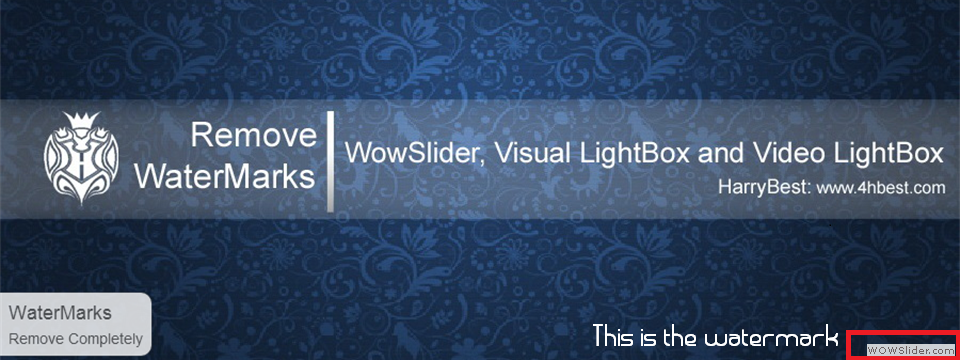
Any complain, just comment i will give you reply in 3 to 4 hour Thnx Users.....!
Still Problem occur: Watch Video Tutorial
Thursday, February 12, 2015
Drill down from one dashboard to another dashboard in Pentaho CDE Simple Example Not included any parameters
Hi Guys,
This post will teach you how you can drill down from one dashboard to another dashboard in pentaho CDE. This workout has done by one of my colleagues who is a fast learner.
You need to focus on 2 things in this post:
1) Connecting to JDBC datasource
2) Drill down from one dashboard to another dashboard.
NOTE :
Ill update you in next post about drill down from one dashboard to another dashboard using custom parameters concept.(Next work out).
Versions & Tools used for this post:
Pentaho C-Tools(CDE,CDA,CDF) 13.09 stable.
PostgreSQL DB - (foodmart database - which is one of jasperserver default databases)
Pentaho BA server 4.8 stable.
SOURCE CODE OF THE EXAMPLE
Download the example using below link
https://drive.google.com/file/d/0BymV_QP4TGBEZ0p1cnpydDJGeDQ/edit?usp=sharing
Deployment procedure:
1) Down load the .rar file from the link(File-Download in the google drive)
2) Unzip it and place it in "pentaho-solutions" folder.
3) Refresh or clear the cache of the pentaho browser(find upper left - Browser)
4) If you are unable to find the folder name , you need to create an index.xml file (Eg: you can find it inside any folder. copy and paste it inside your working folder and change the name of it).
5) No need to restart the pentaho server.
NOTE: Edit data base connections as per your requirement also you may need to change the query if you use any other database than foodmart
Dashboard 1:
1) Layout section
* Design your lay out for dashboard1
2) Components section
* You will be placing 1 bar chart where you will click on bars for drilling down to another dashboard.
We will come back to this section again after designing Dashboard 1 and Dashboard 2
3) Data Sources section
* Click on Data source Icon on right top conrner.
* From the left .. click on SQL queries -> Click on sql over sqljdbc
* Give the name and all the properties as shown in below image.

NOTE:
PostgreSQL server default details :
Driver: org.postgresql.Driver
UserName : postgres
Password : postgres
URL: jdbc:postgresql://localhost:6062/foodmart where 6062 is the port number which I used for postgres and foodmart is the database.
Note that default port number for postgresSQL is 5432 .
* Write a query which will suits for bars in the chart
* For eg:
SELECT
c.country,
c.state_province ,
c.city,
SUM(sf.store_sales)
FROM
customer c,
sales_fact_1997 sf
WHERE c.customer_id=sf.customer_id
GROUP BY
c.country,
c.state_province,
c.city
ORDER BY
c.country,c.state_province,c.city
* See the preview of the dashboard
* Out put will looks like below.

Dashboard 2 :
* Repeat the same steps as followed in Dashboard 1
* Take any component to display on the second dashboard.
* I have taken table component in this example and the output will looks like below mentioned image.
*

We have done with 2 dashboards individually.
Now, Its the time for us to some trick on Dashboard 1 so that when we click on Dashboard 1 , it will have to take you to Dashboard2
Steps:
1) Lets go back to Dashboard 1
2) Go to the Chart component and in the properties give clickable as True
3) In the clickAction you need to give the URL of second dashboard in java script.
Eg:
function q(s,c,v)
{
window.location = http://localhost:8085/pentaho/content/pentaho-cdf-dd/Render?solution=CDE-+Exploring&path=%2FDevelopement%2FDashboard+Drill+down&file=drill_down_to_table.wcdf;
}
Thats it you have done with drill down. Save the dashboard 1 and see the preview and then click on any bar appearing , you will navigate to the 2nd dashboard.
NOTE :
This post is only giving the idea of how to drill down from one dash board to another dashboard.
This post doesnt work with any parameters. The use custom parameter with drill down from 1 dashboard to another dashboard will come in next post from my end.
URL generating problem / Path problem for Second Dashboard
How to generate the URL for 2nd dashboard ( not only for this but also works for every dashboard).?
* Right click on 2nd Dashboard and click on "Open In New Tab" the with the URL the 2nd dashboard will open in fresh tab.
* Copy that URL and paste in drill down function.
* For eg : Just reference : Find the images below


References :
1) http://forums.pentaho.com/showthread.php?152634-Drill-down-from-bar-chart-to-another-dashboard
2) http://forums.pentaho.com/showthread.php?82999-Drill-Down-in-DashBoards
Sadakar
("Learning never exhausts the mind")
This post will teach you how you can drill down from one dashboard to another dashboard in pentaho CDE. This workout has done by one of my colleagues who is a fast learner.
You need to focus on 2 things in this post:
1) Connecting to JDBC datasource
2) Drill down from one dashboard to another dashboard.
NOTE :
Ill update you in next post about drill down from one dashboard to another dashboard using custom parameters concept.(Next work out).
Versions & Tools used for this post:
Pentaho C-Tools(CDE,CDA,CDF) 13.09 stable.
PostgreSQL DB - (foodmart database - which is one of jasperserver default databases)
Pentaho BA server 4.8 stable.
SOURCE CODE OF THE EXAMPLE
Download the example using below link
https://drive.google.com/file/d/0BymV_QP4TGBEZ0p1cnpydDJGeDQ/edit?usp=sharing
Deployment procedure:
1) Down load the .rar file from the link(File-Download in the google drive)
2) Unzip it and place it in "pentaho-solutions" folder.
3) Refresh or clear the cache of the pentaho browser(find upper left - Browser)
4) If you are unable to find the folder name , you need to create an index.xml file (Eg: you can find it inside any folder. copy and paste it inside your working folder and change the name of it).
5) No need to restart the pentaho server.
NOTE: Edit data base connections as per your requirement also you may need to change the query if you use any other database than foodmart
Dashboard 1:
1) Layout section
* Design your lay out for dashboard1
2) Components section
* You will be placing 1 bar chart where you will click on bars for drilling down to another dashboard.
We will come back to this section again after designing Dashboard 1 and Dashboard 2
3) Data Sources section
* Click on Data source Icon on right top conrner.
* From the left .. click on SQL queries -> Click on sql over sqljdbc
* Give the name and all the properties as shown in below image.
NOTE:
PostgreSQL server default details :
Driver: org.postgresql.Driver
UserName : postgres
Password : postgres
URL: jdbc:postgresql://localhost:6062/foodmart where 6062 is the port number which I used for postgres and foodmart is the database.
Note that default port number for postgresSQL is 5432 .
* Write a query which will suits for bars in the chart
* For eg:
SELECT
c.country,
c.state_province ,
c.city,
SUM(sf.store_sales)
FROM
customer c,
sales_fact_1997 sf
WHERE c.customer_id=sf.customer_id
GROUP BY
c.country,
c.state_province,
c.city
ORDER BY
c.country,c.state_province,c.city
* See the preview of the dashboard
* Out put will looks like below.
Dashboard 2 :
* Repeat the same steps as followed in Dashboard 1
* Take any component to display on the second dashboard.
* I have taken table component in this example and the output will looks like below mentioned image.
*
We have done with 2 dashboards individually.
Now, Its the time for us to some trick on Dashboard 1 so that when we click on Dashboard 1 , it will have to take you to Dashboard2
Steps:
1) Lets go back to Dashboard 1
2) Go to the Chart component and in the properties give clickable as True
3) In the clickAction you need to give the URL of second dashboard in java script.
Eg:
function q(s,c,v)
{
window.location = http://localhost:8085/pentaho/content/pentaho-cdf-dd/Render?solution=CDE-+Exploring&path=%2FDevelopement%2FDashboard+Drill+down&file=drill_down_to_table.wcdf;
}
Thats it you have done with drill down. Save the dashboard 1 and see the preview and then click on any bar appearing , you will navigate to the 2nd dashboard.
NOTE :
This post is only giving the idea of how to drill down from one dash board to another dashboard.
This post doesnt work with any parameters. The use custom parameter with drill down from 1 dashboard to another dashboard will come in next post from my end.
URL generating problem / Path problem for Second Dashboard
How to generate the URL for 2nd dashboard ( not only for this but also works for every dashboard).?
* Right click on 2nd Dashboard and click on "Open In New Tab" the with the URL the 2nd dashboard will open in fresh tab.
* Copy that URL and paste in drill down function.
* For eg : Just reference : Find the images below
References :
1) http://forums.pentaho.com/showthread.php?152634-Drill-down-from-bar-chart-to-another-dashboard
2) http://forums.pentaho.com/showthread.php?82999-Drill-Down-in-DashBoards
Sadakar
("Learning never exhausts the mind")
Monday, February 2, 2015
Migrating custom fields from Drupal 6 Data reporting and visualization in Drupal 7
Learn how to migrate custom fields from Drupal 6 to Drupal 7 in this video tutorial. This is from the Drupal 7: Reporting and Visualizing Data training course by lynda.com. Visit the course details page to learn more. Visitors of this site can also get a free 7-day trial pass for complete access to the entire lynda.com library of over 1000 courses.
Read more »
Migrating custom fields from Drupal 6
[COURSE DETAILS PAGE] | [FREE 7-DAY TRIAL]
Subscribe to:
Posts (Atom)